
 Getting started
Your first Bedrock inspection: tap a point and read the four lenses
Tap the map, then read Brief, Story, Context and Evidence. Includes the guided tour for new geologists.
Bedrock tells you what you are standing on. Tap a point and it assembles what public science knows about that spot.
Run an inspection
- Open Bedrock and tap a point on the map.
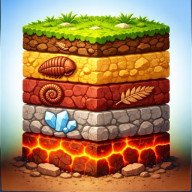
- The point sheet opens with the mapped bedrock unit, its age, what it is made of, the column beneath you, faults, fossils, water and terrain.
- Read the answer, then tap for the evidence.
The four lenses
- Brief: what you are standing on and what it means.
- Story: the geologic history, the rock column, a field guide, the eras and the fossil record.
- Context: the setting around the point.
- Evidence: the sources and how confident each statement is.
The answer comes first and the evidence is a tap away.
New to geology?
A 12-step guided tour runs a real inspection and explains each card as the data lands. Help is searchable and there is a tappable glossary. The app is available in English and Spanish.
The Rock Reference
The Rock Reference has 249 entries. It says what the rock is, where it comes from, how it forms and how to recognise it.
Remember: treat the map as the hypothesis and the rock as the answer. See Mapped, estimated and written: Bedrock's confidence labels.