
Double entry wastes field time.
Scientific names, common names, place guesses, IDs, URLs, and quality grades should not be typed twice. The plugin pulls iNaturalist data back into Lightroom so your archive reflects what the community has resolved.
A native Lightroom Classic plugin that automates species identification writebacks, nested keyword trees, and conservation statuses.
iNat Publish Pro closes the gap between your Lightroom Classic archive and your iNaturalist observations. It keeps the online record, the local photograph, the taxonomic identity, and the conservation context tied together instead of scattered across browser tabs, spreadsheets, and half-finished keyword lists.
Scientific names, common names, place guesses, IDs, URLs, and quality grades should not be typed twice. The plugin pulls iNaturalist data back into Lightroom so your archive reflects what the community has resolved.
Community IDs, retired taxa, split species, and corrected names are part of real biodiversity data. iNat Publish Pro gives you a reviewable workflow before those changes touch your catalog.
Building a clean Kingdom → Phylum → Class → Order → Family → Genus → Species tree by hand is brutal. iNat Publish Pro writes searchable taxonomy hierarchy without turning your Lightroom catalog into a manual data-entry job.
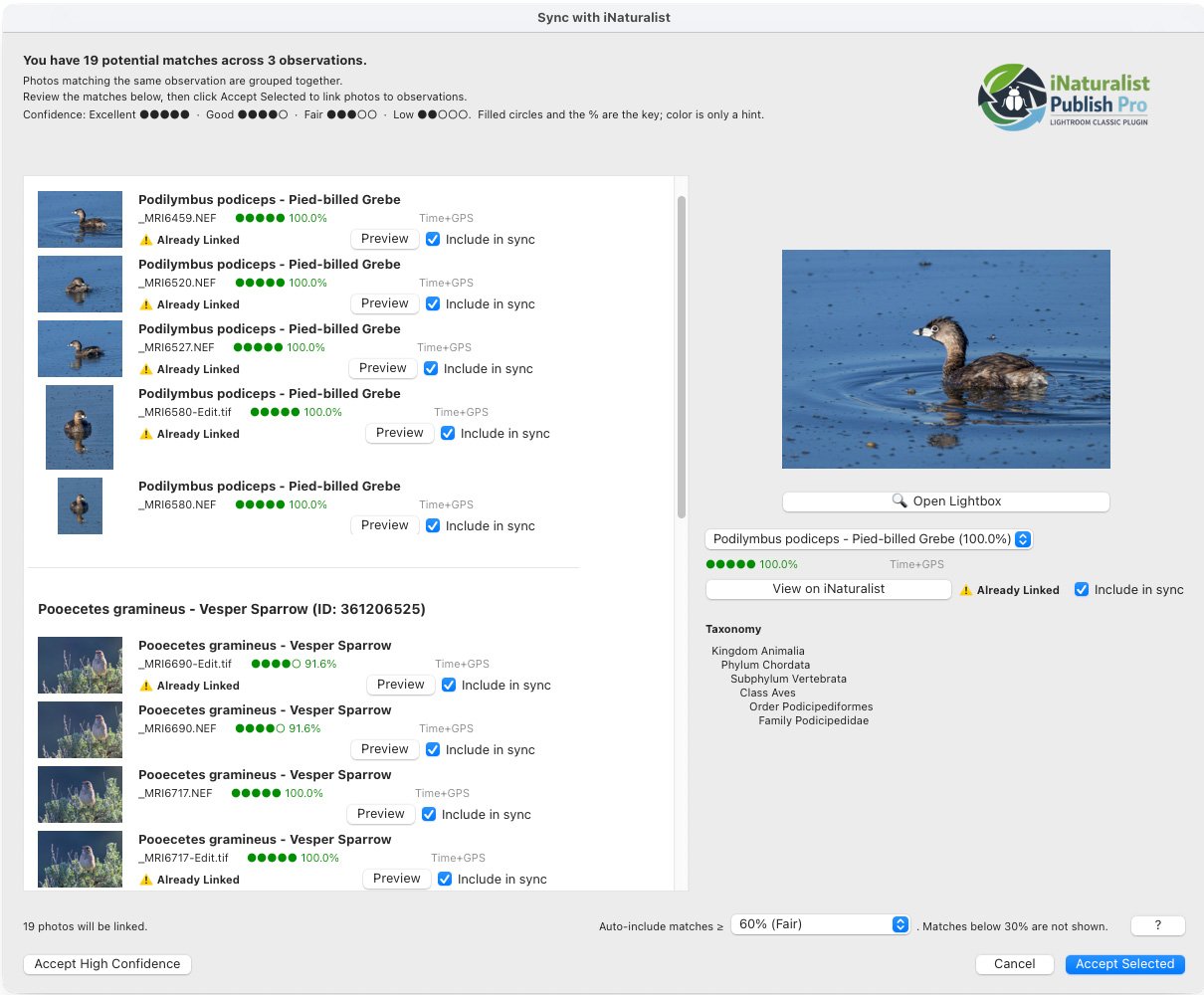
The review window groups candidates by observation, shows confidence percentages, flags already-linked photos, and lets you include or exclude files before accepting selected matches.
Shoot in the field. Publish or match to iNaturalist. Let the community improve the ID. Pull the verified biological context back into the catalog where your finished images actually live.
Import raw files, keep your edits, preserve EXIF, and choose whether the plugin writes only custom metadata or also updates standard Lightroom fields like titles, captions, and keywords.
Match by explicit observation ID or URL, existing metadata links, or time-and-GPS correlation when no direct link exists.
Write scientific names, common names, observation IDs, place fields, quality grades, geoprivacy, conservation status, and full taxonomic hierarchy into Lightroom.
Use Update Taxa to triage retired names, changed IDs, and community refinements. Preserve title/caption controls protect your hand-written work while metadata and keywords stay current.
Match photos, review confidence, write iNaturalist IDs back to Lightroom, and keep taxonomy current without turning every field day into a metadata cleanup project.
The Command Center is where syncing, taxonomy review, catalog health, and visual reporting come together. It is built for real archives, not demo folders.
Compact rows, risk flags, Accept All, Exclude All, flag filters, and pre-commit previews keep large updates controlled.
Find images by scientific name, common name, taxonomic rank, place name, or iNaturalist observation ID.
See catalog health at a glance: synchronized photos, out-of-sync records, total observations, and next actions.
Explore taxonomic distribution, family-level patterns, seasonal activity, and observation trends from cached local data.
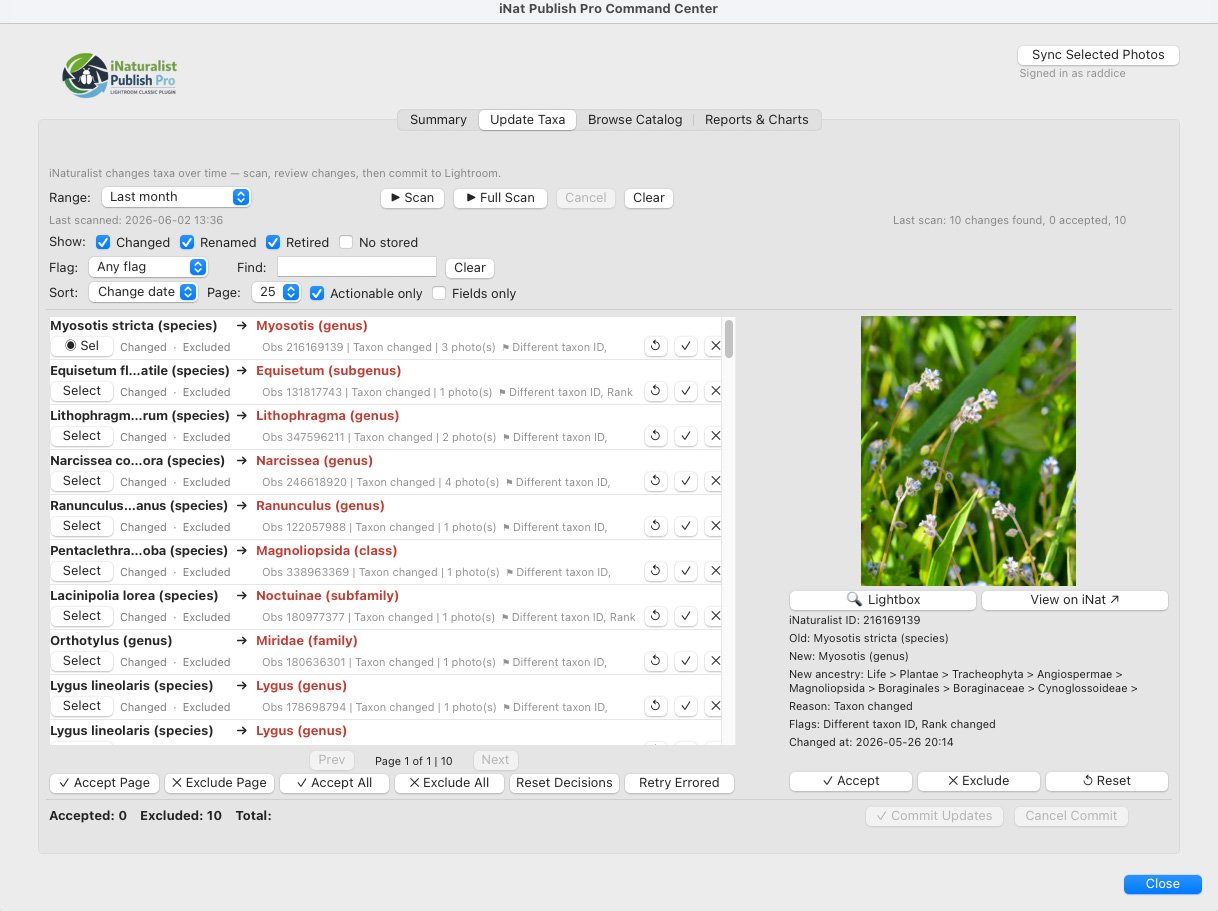
Scan for renamed, retired, or shifted taxa, compare old and new classifications, then accept, exclude, reset, or commit updates deliberately.
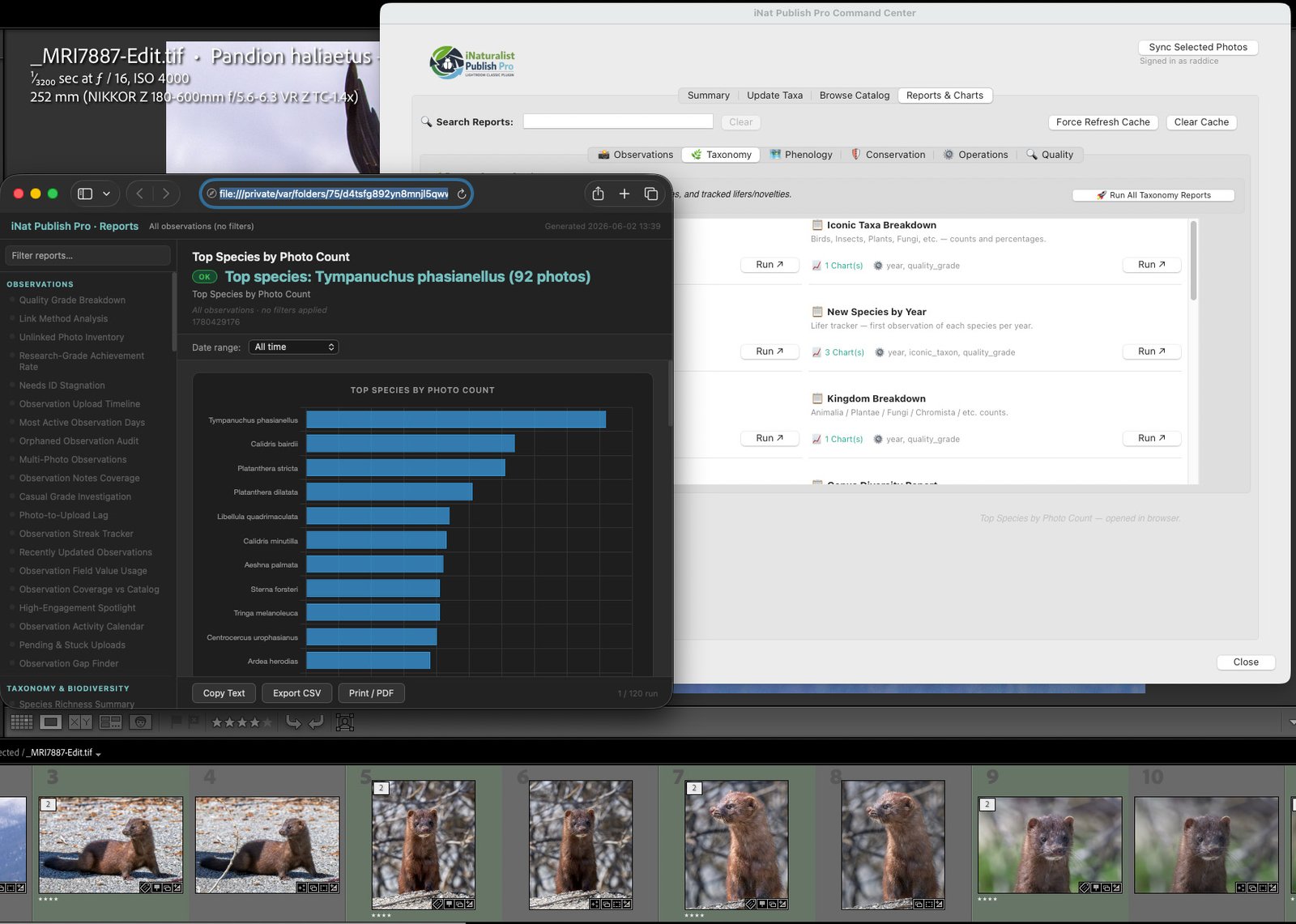
Run taxonomy, phenology, conservation, operations, and quality reports; export CSV; or generate print/PDF-style outputs.
A Lightroom catalog becomes dramatically more useful when each image carries the observation link, taxon identity, conservation context, and hierarchy that make it searchable years later.
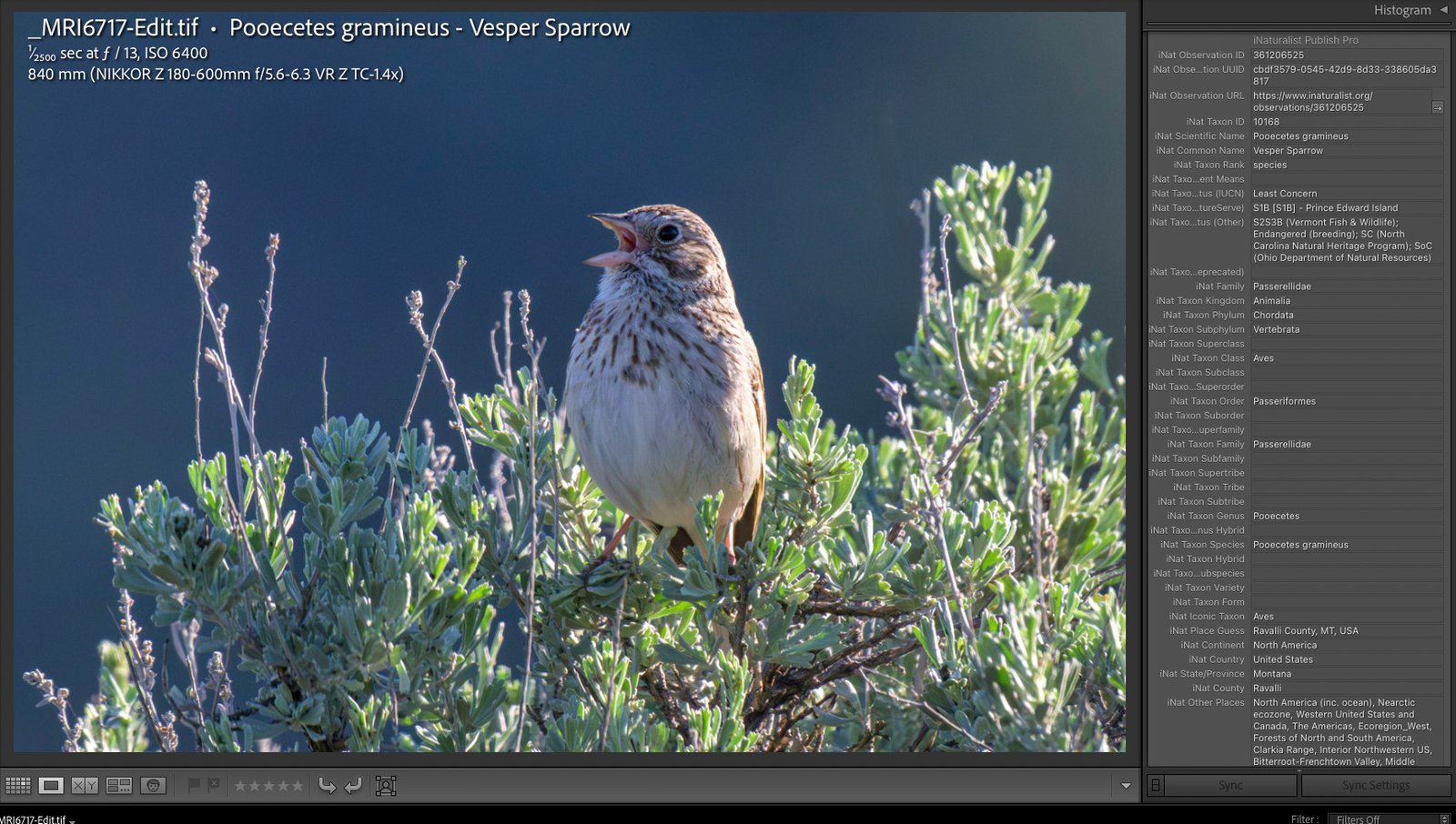
Observation URLs, taxon IDs, conservation status, family, genus, species, place data, and quality grades become searchable local metadata.
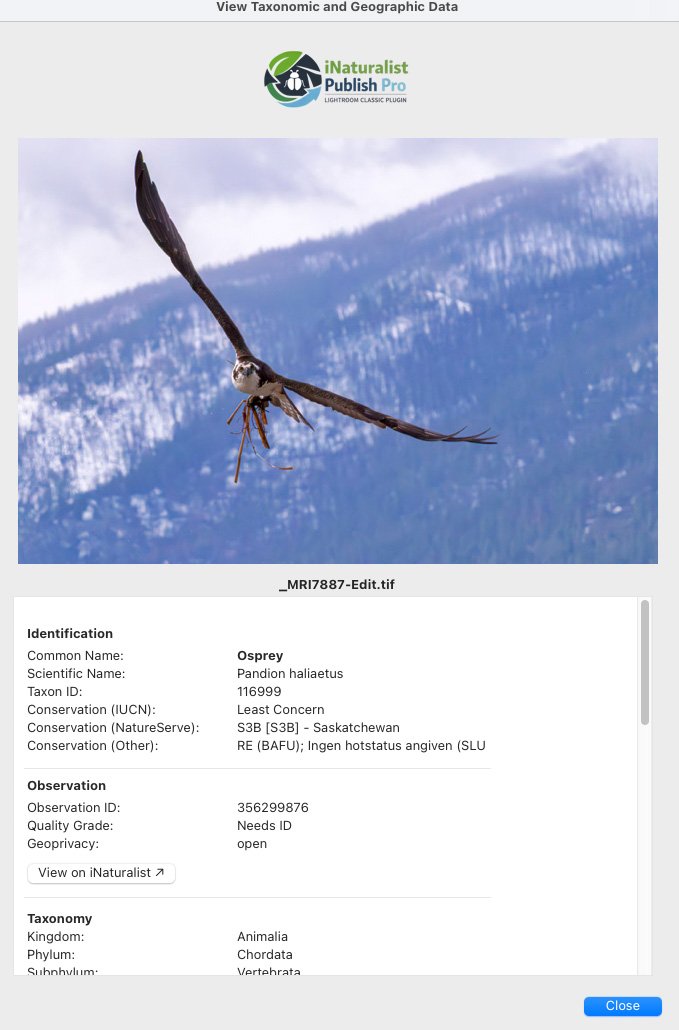
Open a readable view of identification, observation, taxonomy, conservation, and geographic fields tied to the selected image.
Use it as a full publish pipeline, a metadata recovery tool, a taxonomy maintenance console, or a clean export helper for the web uploader.
Activate the subscription, connect iNaturalist through OAuth, configure metadata rules, and verify the connection before touching a catalog-wide workflow.
Drag photos into publish collections, upload them to iNaturalist, and store the resulting observation links back in Lightroom.
Prepare resized, metadata-tagged images for photographers who still prefer the iNaturalist web uploader.
Sync selected photos, folders, date ranges, or only changes since the last run. Keep small edits fast and catalog maintenance deliberate.
Reorganize synchronized photos into biological family collections so your library can be browsed like a natural history archive.
Export a support bundle with logs and configuration snapshots while scrubbing sensitive credentials and masking precise coordinates.
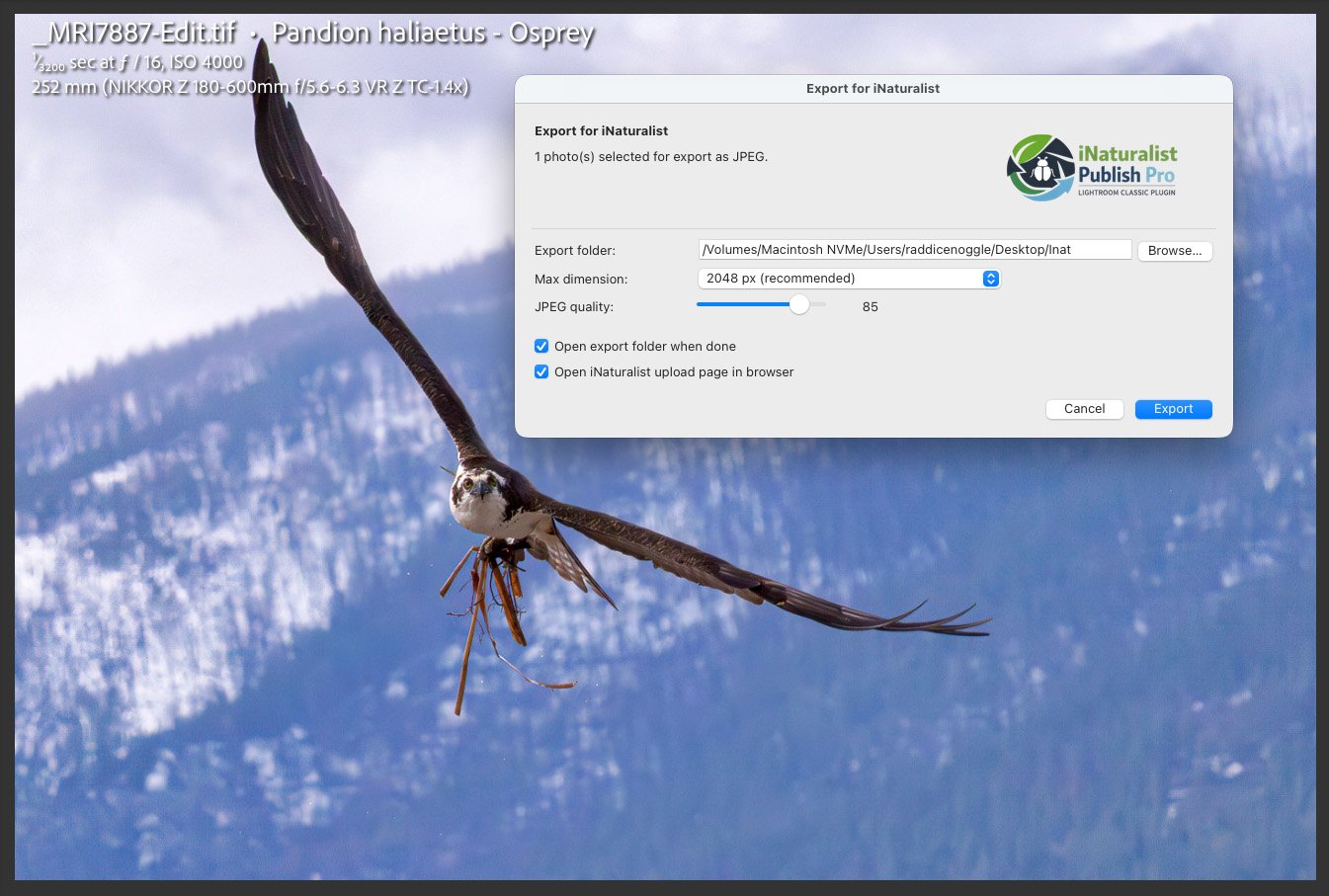
Resize, set JPEG quality, choose the export folder, and jump directly to the iNaturalist upload page when export finishes.
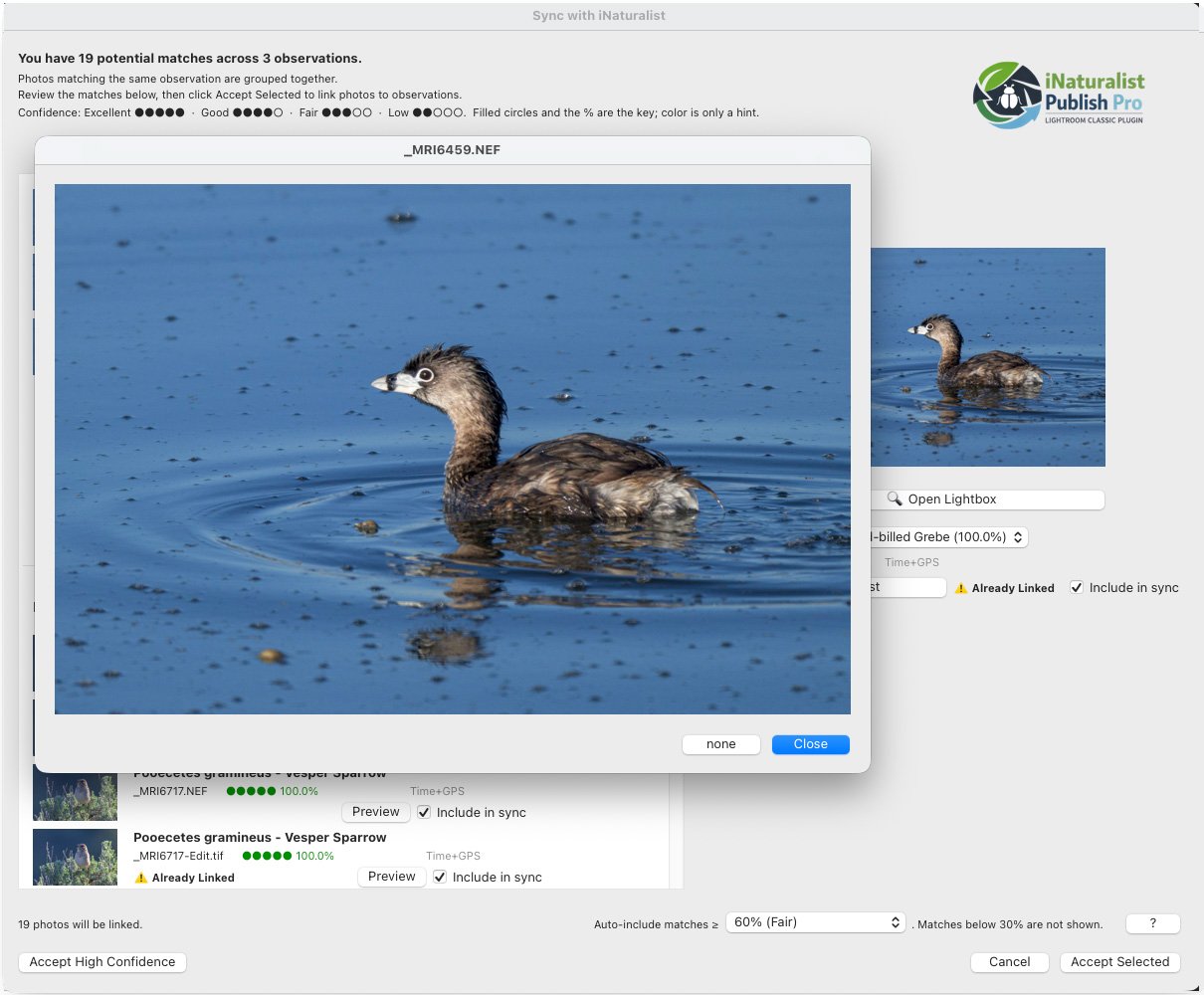
Open a larger preview while matching so the decision is based on the organism, not just a filename or timestamp.
The plugin respects your catalog, your credentials, your hand-edited text, and the reality that field photographers are not always sitting on perfect Wi-Fi.
Authentication uses OAuth. Tokens are stored through the operating system credential vault using Lightroom’s secure password APIs.
Existing metadata editing, charts, reports, and cached taxonomy operations can continue locally. Fresh syncs and license validation reconnect when the network returns.
Existing synchronized metadata stays in Lightroom if the subscription lapses or the plugin is disabled. Paid operations resume after renewal; your records are not locked away.
Large catalog work is processed in cooperative chunks to reduce Lightroom UI freezes and keep high-volume archives manageable.
Debug logs mask exact GPS coordinates to protect sensitive species locations and personal field sites during support requests.
v1.16.0 moves updates to Nature Tools infrastructure with signed manifests and background validation built for field reliability.
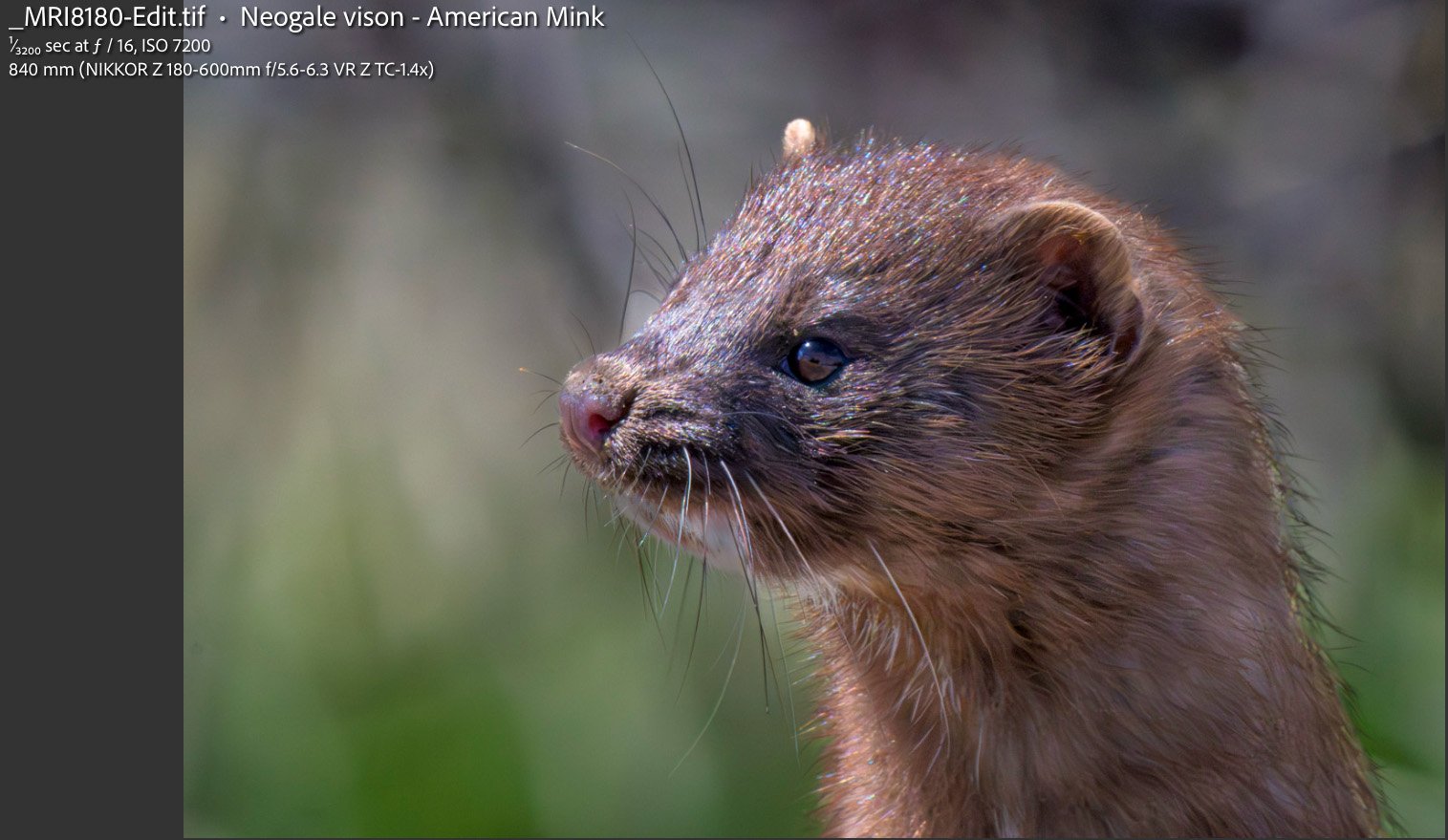
Filename, scientific name, common name, exposure, ISO, focal length, and lens information can sit directly over the photograph for review, export, teaching, or field-storytelling use.
Keep the local archive clean, searchable, and correctly captioned without sacrificing finished edits or hand-written descriptions.
Track observation links, quality grades, taxonomic updates, and searchable life-list context from inside the photo catalog.
Preserve taxon IDs, conservation designations, place fields, exact observation URLs, and privacy-aware diagnostic logs.
No. It is developed independently by Nature Tools and uses iNaturalist’s public developer APIs to simplify legitimate contribution and metadata workflows.
It can match by explicit observation ID or URL, by previously stored metadata links, or by comparing EXIF capture time and GPS coordinates against your iNaturalist observations.
Not by default if you configure it not to. The Update Taxa workflow includes Preserve Title/Caption controls so taxonomy and keyword data can update while hand-written titles and captions remain untouched.
Some operations work from local caches, including existing metadata review, charts, reports, and catalog queries. Fresh observation syncs, license activation, and new iNaturalist API requests need internet access.
Your existing Lightroom metadata remains intact. The plugin does not lock or delete previously synchronized records. New paid operations resume after the license is renewed.
Bring iNaturalist observations, identifications, taxonomy, conservation status, and place data back into Lightroom Classic—then keep the catalog current as names and classifications change.